
How to manage your VEVO channel: edit, organise and fix everything
Getting a VEVO channel is the easy part. Keeping it correct, consistent and connected is the work that follows, and it is where artists get stuck, because VEVO does not give most of them a dashboard to edit anything. Here is how channels are actually managed, who can change what, and a routine you can follow.
On this page
How VEVO channels are managed
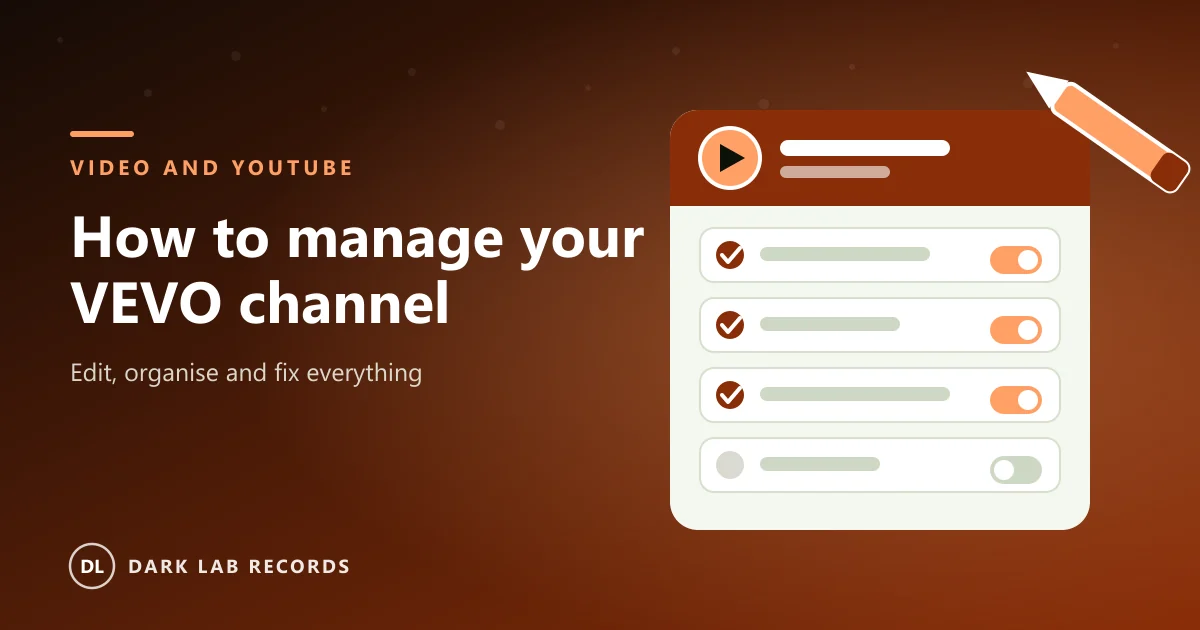
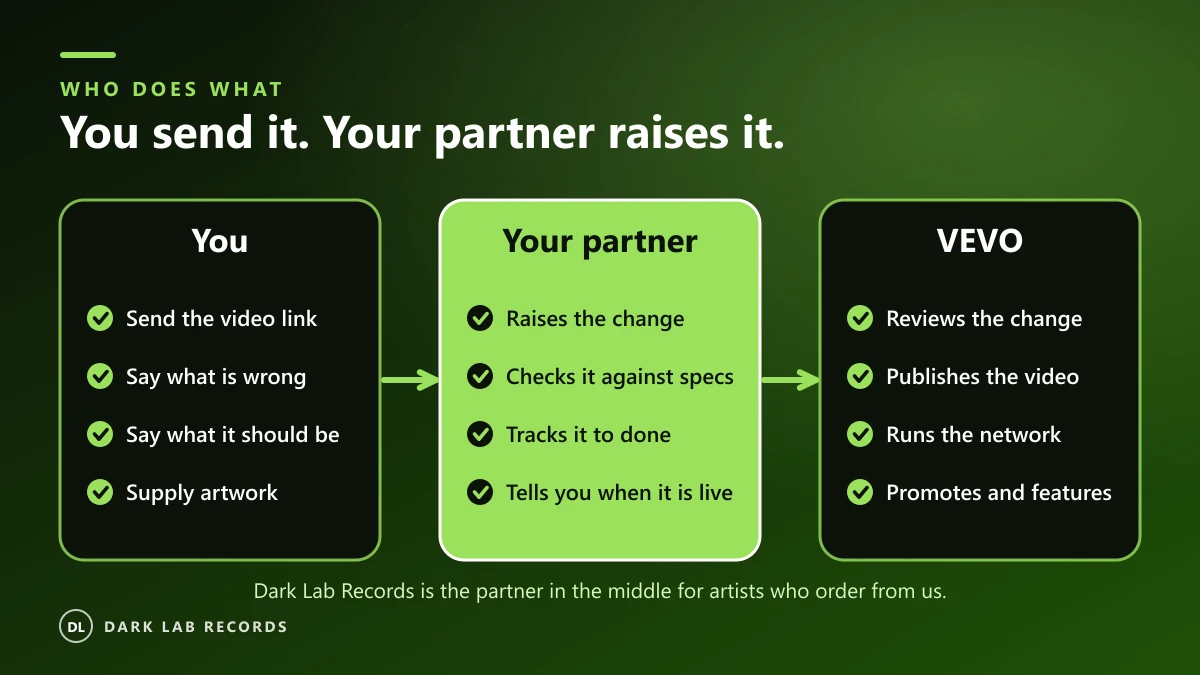
VEVO's own guidance for artists is that your label and distributor can request and manage your VEVO channel. Videos are delivered by the partner, reviewed by VEVO and then published. There is no general self-service upload for artists.
VEVO's support site is blunt about it: artists have no direct login to their VEVO channel, and all channels are managed by VEVO's partnered content providers through its content management system. In practice the partner you chose is your channel manager, which is why the partner matters so much: they hold the keys.
What can be changed, and who changes it
- Titles, artist names, featured artists and credits: corrected by the label or distributor that delivered the video.
- Channel artwork (avatar and banner): sent to your partner and applied through them.
- Channel name: cannot be changed once created, apart from capitalisation. A wrong name means a new channel.
- Go-live dates and re-uploads: handled by the partner, with VEVO's review in between.
- Anything on your own YouTube channel or Official Artist Channel: edited by you in YouTube Studio.
Fixing titles, credits and metadata
A mistake in a title, artist name or credit can stay on a video for years. Errors in titles or song metadata are raised with the label or distributor, not edited in YouTube Studio. Send your partner one clear message: the video link, what it says now and exactly what it should say.
It also helps to make the data right at the source. Use the same artist name, spelling and featured-artist format on your video as on your audio releases, so everything matches.
Keeping a catalogue organised
- Pick one naming pattern and keep to it, for example Artist - Title (Official Video).
- Label alternate versions clearly: Lyric Video, Live Session, Remix.
- Put featured artists in the artist field in the same format every time.
- Keep one profile picture and banner style across the channel so it reads as one brand.
- Keep a simple sheet: video title, release date, ISRC, credits, delivery date, link.
Link your VEVO channel to your Official Artist Channel
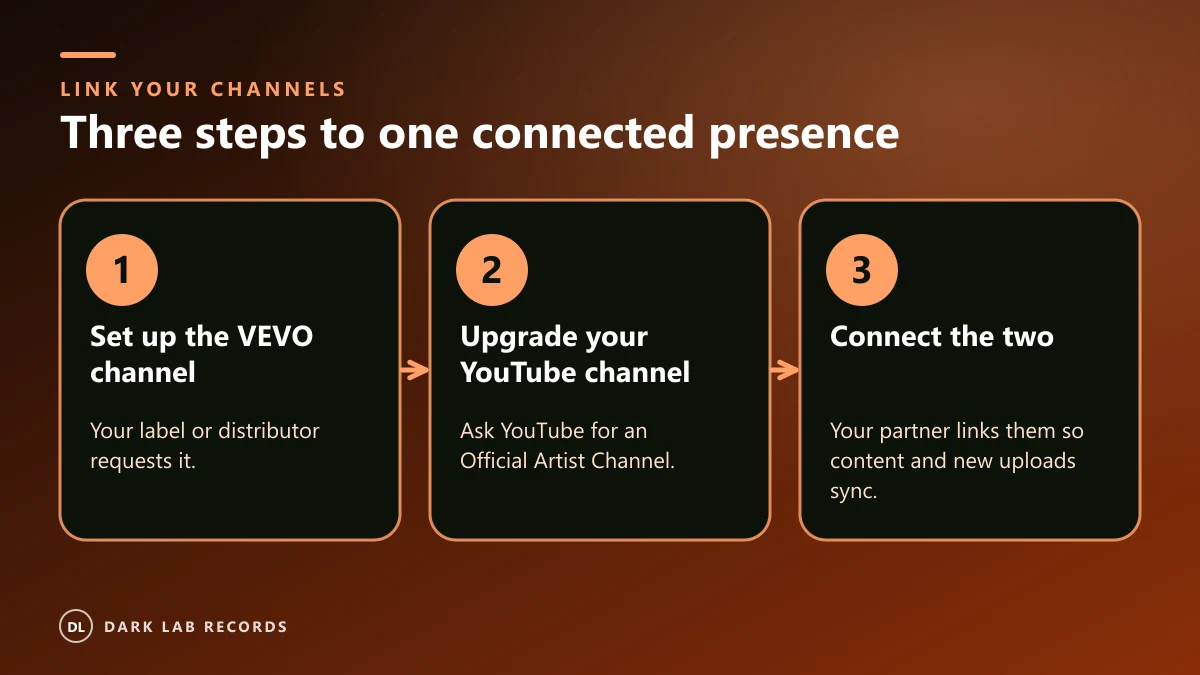
This is the one organising step that makes the biggest difference. VEVO describes it in three steps:
- Set up the VEVO channel: your label and distributor request it.
- Make sure your YouTube channel is an Official Artist Channel: YouTube can upgrade it.
- Connect the two: your label and distributor link the VEVO channel to your Official Artist Channel, which syncs all content and future uploads.
Tip: Merging channels is done by YouTube, not by VEVO, and VEVO cannot create an Official Artist Channel for you. Allow 24 to 72 hours after a merge for all videos to appear.
Premieres and features
VEVO runs weekly and ad hoc reviews of upcoming video premieres and catalogue re-features, submitted by labels and managers. Priority releases can be submitted through VEVO's online submissions form. Preparing a clean video, good artwork and a clear story, ideally three weeks ahead, gives a feature pitch its best chance, though VEVO decides what it features.
Analytics: where to look
Once your Official Artist Channel is active, YouTube Studio's artist analytics show data across the channels where your music lives, including your VEVO channel. Use it to see which videos bring new listeners, where your audience is and which releases deserve a re-feature.
A quarterly VEVO housekeeping checklist
- Check every title, credit and featured artist for typos and consistency.
- Confirm your VEVO channel is still linked to your Official Artist Channel.
- Refresh the banner and profile picture if your branding has changed.
- Check thumbnails are readable at small sizes.
- Send your partner any corrections in one list, not one by one.
- Plan the next release at least three weeks ahead.
Tip: Doing this once a quarter takes less than an hour and prevents most of the problems artists write to us about.
Frequently asked questions
Can I change my VEVO channel name?
No. A VEVO channel name cannot be changed once it has been created, apart from the capitalisation of letters. If it is wrong, a new channel with the right name is needed.
Can I edit my VEVO channel myself?
Not directly. VEVO works through labels and distributors, so corrections to a delivered video and changes to channel artwork go through the partner that delivered it.
How do I fix a typo in a VEVO video title?
Tell your label or distributor the video link, what the title says now and what it should say. They raise the correction with VEVO.
How do I link my VEVO channel to my YouTube channel?
Have your YouTube channel upgraded to an Official Artist Channel, then ask your label or distributor to connect the VEVO channel to it. Content and future uploads then sync.
Where can I see my VEVO analytics?
Once you have an Official Artist Channel, YouTube Studio's artist analytics show data across all the channels where your music lives, including VEVO.
Can I move my VEVO channel to another distributor?
Channels are tied to the partner that delivered them, so ask about this before you sign up, and ask your current partner what the process would be.
Does Dark Lab Records manage VEVO channels for labels?
Yes. We manage, edit and organise VEVO channels for artists and for labels with many artists. Contact us with the size of your catalogue.
Written by
Dark Lab Records Ltd team
Practical guidance on VEVO channels, music video and releasing music from the Dark Lab Records team in the UK, the United States and Canada.